 Starix PDF
Mark confidential fileson every page.
Pick or type the watermark text, check the preview and save; every page carries the watermark.
Pro feature · Free 14-day trial · Windows 10 / 11

Before you start
Four steps to a watermark
STEP 1
Choose Forms & Security, then Watermark
Open the PDF, choose Forms & Security at the top, then click Watermark.

Real Starix PDF screen · simulated demonstration document STEP 2
Choose the text and check the preview
Click Confidential, or type your own words in Text. The preview on the right shows the page; then click Apply.
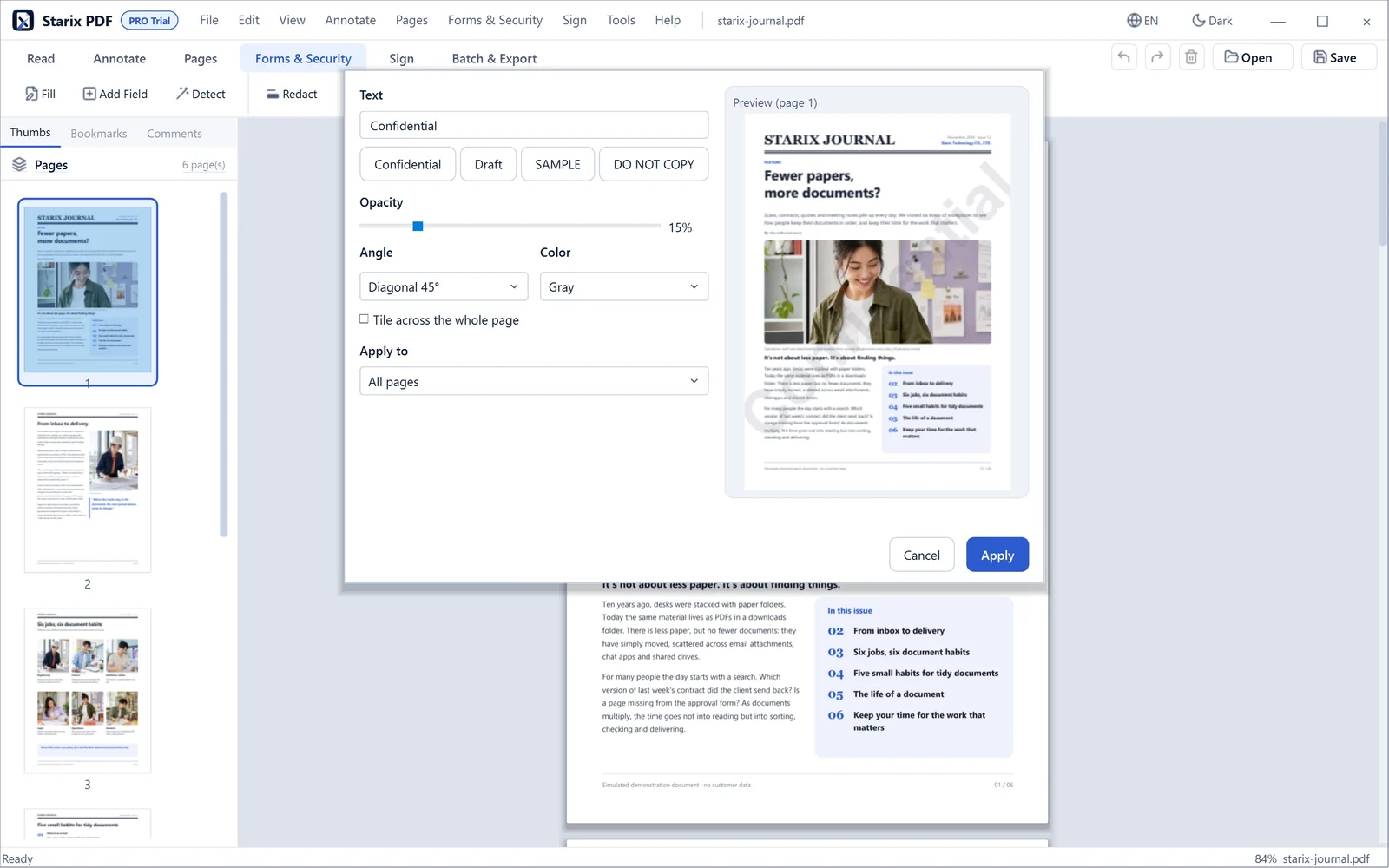
Real Starix PDF screen · simulated demonstration document STEP 3
Save the file
When the status bar confirms the watermark, click Save at the top right to write it into the file.

Real Starix PDF screen · simulated demonstration document STEP 4
Check the watermark
Every page of the saved file carries the watermark, and the page text can still be selected and searched.

Real Starix PDF screen · simulated demonstration document
Adjust the watermark
Try it with the practice file
The practice file is a six-page STARIX JOURNAL issue. Add a Confidential watermark with the steps above. The practice file is for practice only.
Questions and answers
Does the watermark change the page content?
The watermark is semi-transparent text laid over the page; the original text and pictures stay as they are.
Can I use my company name?
Yes, type it in Text.
How do I change it before saving?
Click Watermark again to change the text or settings, or press Ctrl+Z.
Say what a document is for,on every page.
Download Starix PDF and watermark the practice file.
Download for Windows