 Starix PDF
PDF to Word,ready to edit.
Export a PDF as a .docx and keep working on its text, paragraphs and pictures in Word.
Pro feature · Free 14-day trial · Windows 10 / 11

Before you start
Four steps to a Word file
STEP 1
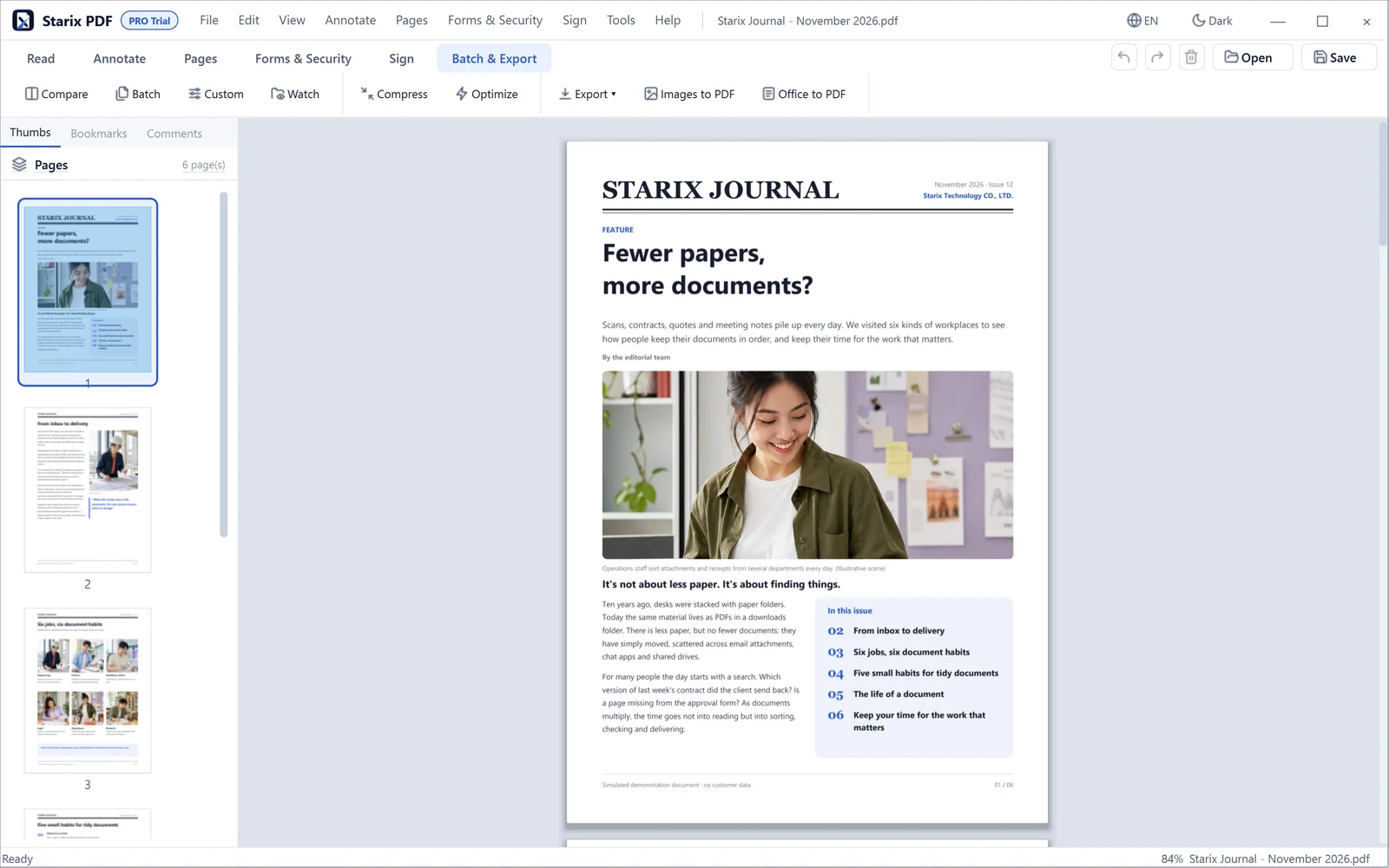
Open the PDF and choose Batch & Export
Open the PDF, choose Batch & Export at the top and find Export.
Real Starix PDF screen · simulated demonstration document STEP 2
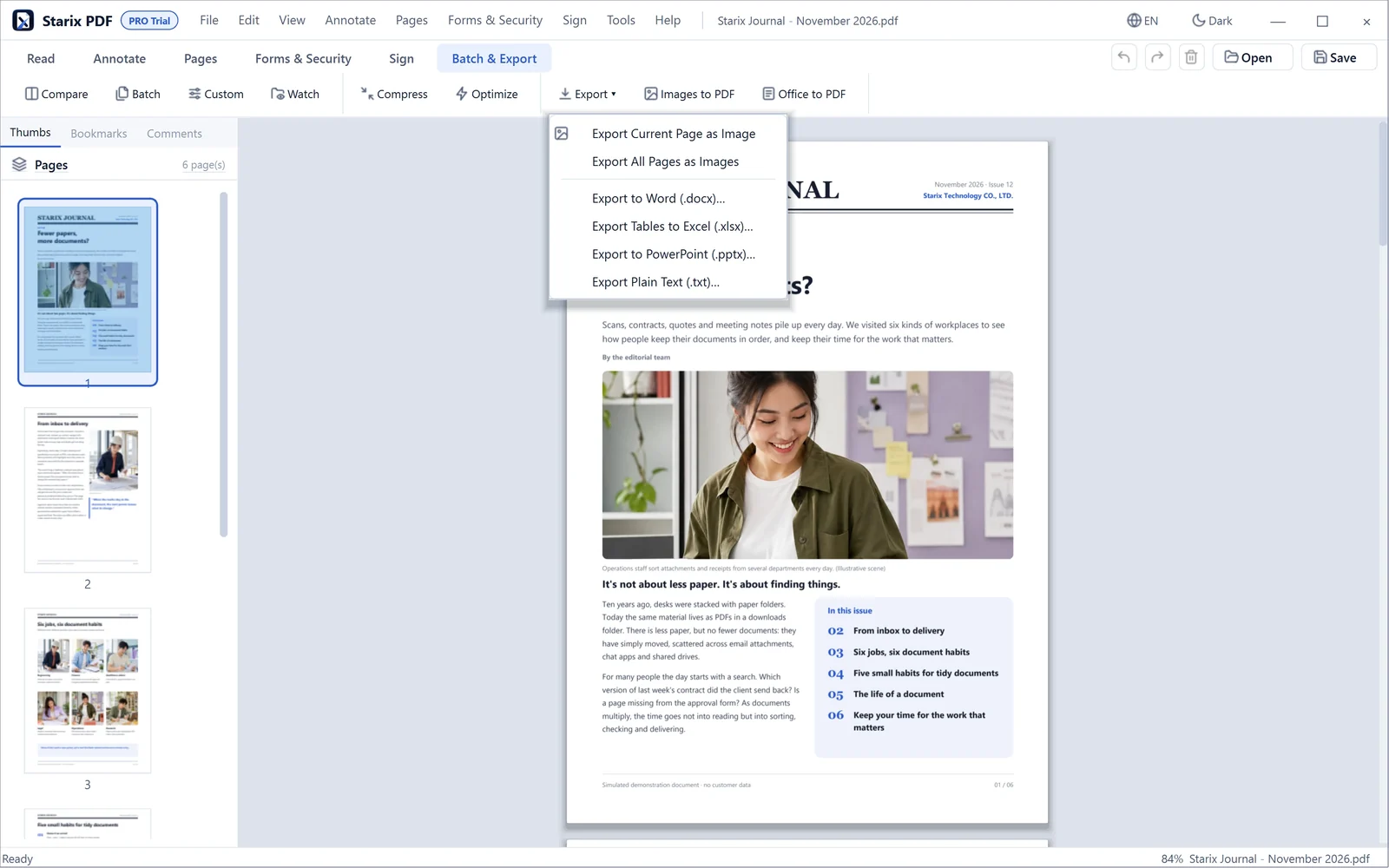
Choose Export to Word (.docx)…
Click Export and choose Export to Word (.docx)… in the menu.
Real Starix PDF screen · simulated demonstration document STEP 3
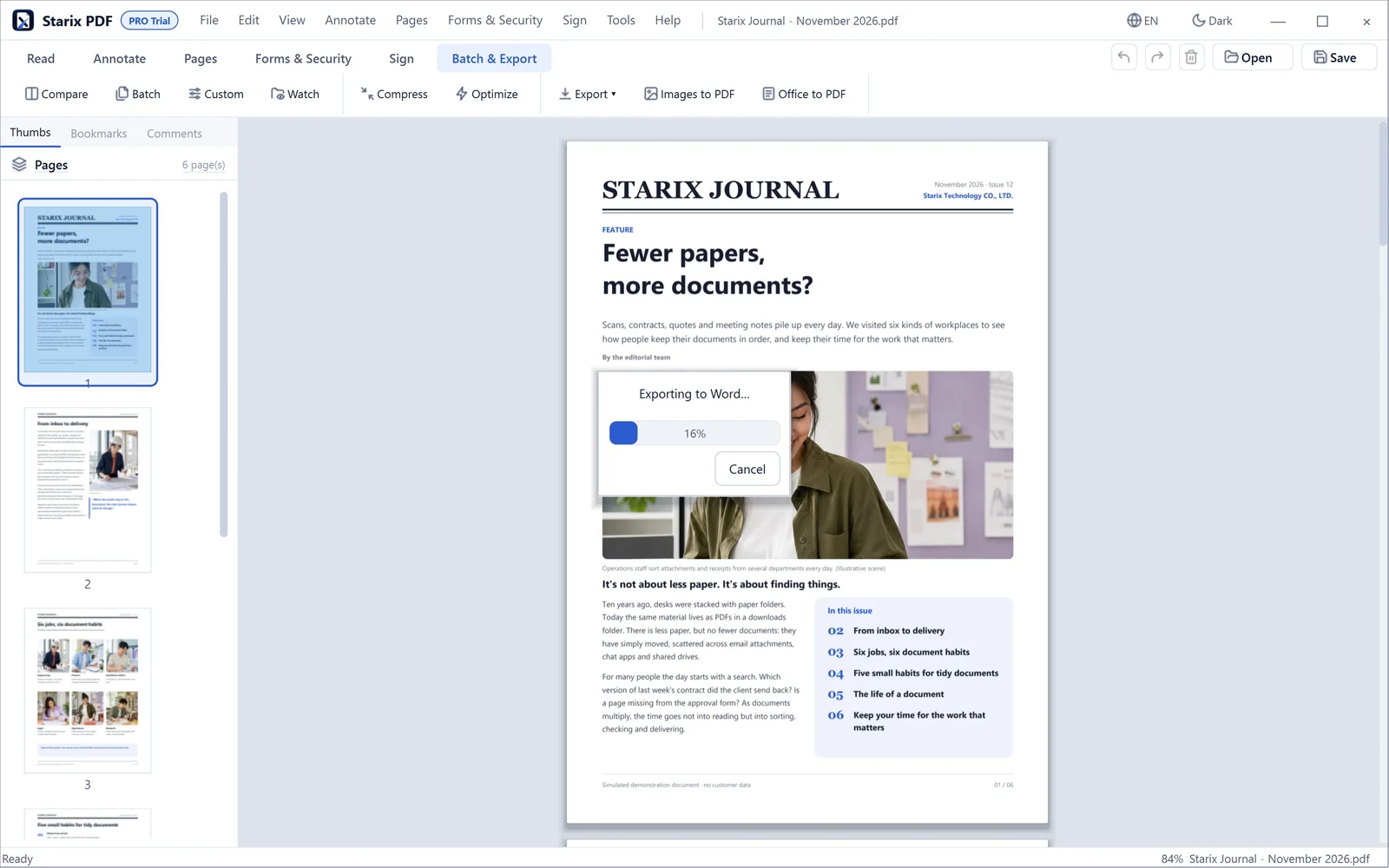
Choose where to save
Pick a name and folder and click Save; a window shows the export progress.
Real Starix PDF screen · simulated demonstration document STEP 4
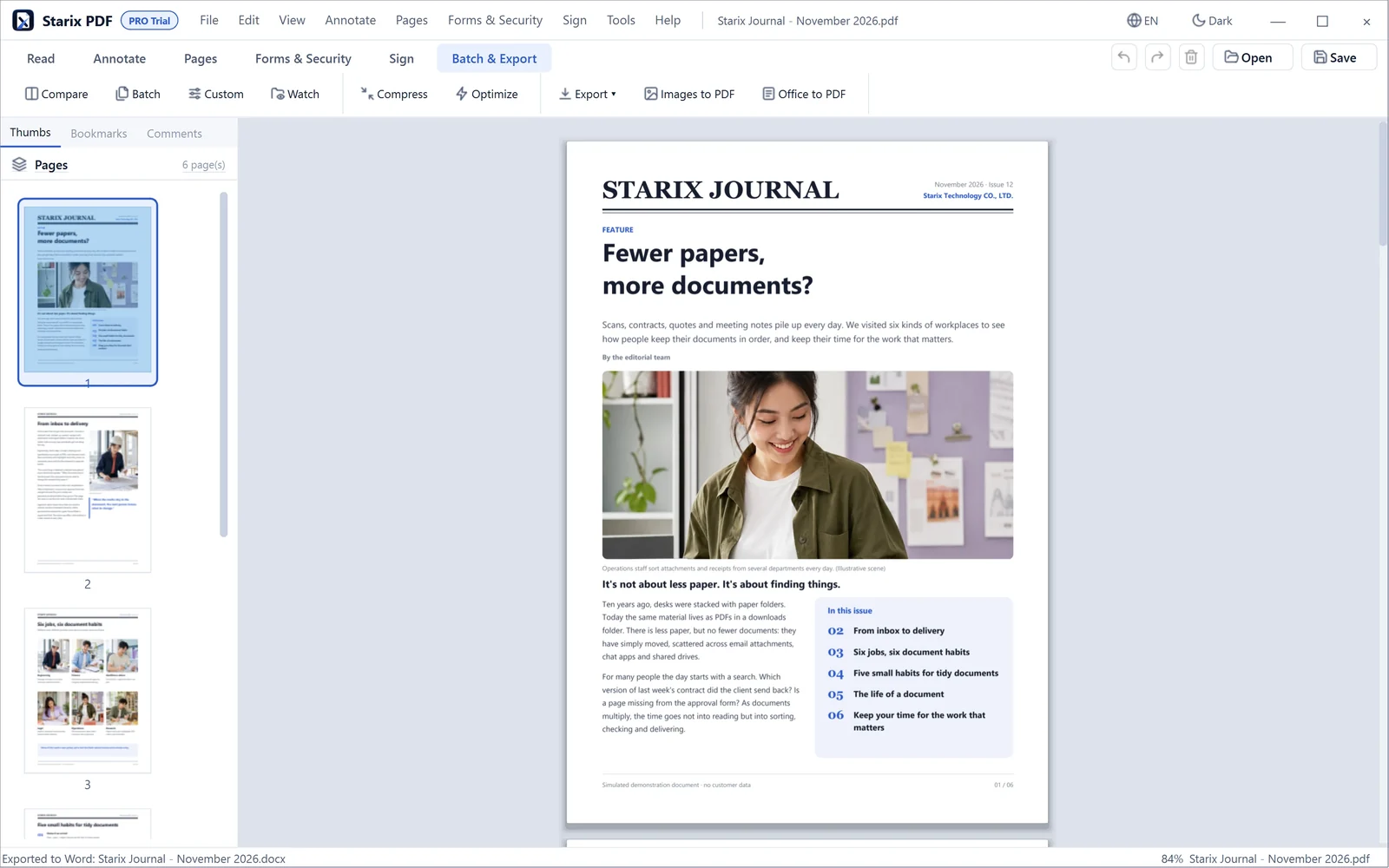
Open it in Word
When the bottom-left corner shows Exported to Word with the file name, open the .docx in Word and edit away.
Real Starix PDF screen · simulated demonstration document
Practice with a sample file
Download the sample STARIX JOURNAL issue and convert it with the steps above. The sample file is for practice only.
Questions and answers
Will the Word file look exactly like the PDF?
Text, paragraphs and pictures become editable content. For pages with a complex layout, compare the result with the original in Word.
Can I export to other formats?
Yes. The same Export menu also exports Excel, PowerPoint, plain text and images.
Can I convert a scanned PDF?
Run OCR first to recognize the text, then export to Word to edit it.
The PDF you need to change,now a Word file.
Download Starix PDF and convert the sample file to Word.
Download for Windows